
Creating Your Account
Sign up for Agathos Books using your email or phone number—no password required.
Signing Up
Section titled “Signing Up”- Open the Agathos Books app or visit agathosbooks.com
- Tap Get started
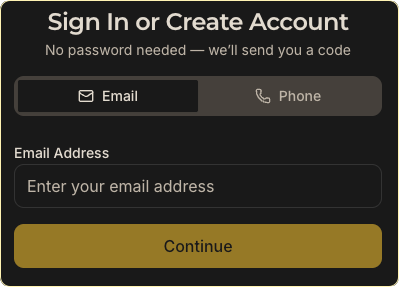
- Enter your email address, or tap Phone to sign up with SMS
- Tap Continue — we’ll send a one-time code. No password.
- On Check your email (or Check your phone), enter the 5-digit code. Tap Change if the destination is wrong.
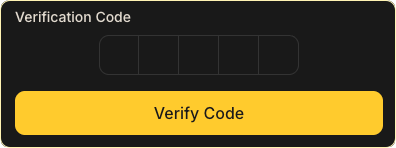
If you don’t see the verification code, check your spam folder (for email) or wait a minute and try again — some email providers take a few minutes to deliver the code.
- Finish setting up your account — enter your name and, if you signed up with a phone number, an email address. An email is required so we can reach you with loan reminders and library activity.
- If you signed up with a phone number, confirm that email before you join or create a library. We send a link (and a backup code) as soon as your account is created — tap Confirm this email in the message. You can also confirm from the join/create screen or from your profile.
- Join or create your first library
Why we ask for an email: Many notifications — weekly reading digests, recommendations, and account emails — are sent by email only. Signing up with a phone number still requires an email so you don’t miss them. For your security we only treat it as yours after you confirm it (a tap in the email, or the code). You cannot join or create a library until that step is done. (If you sign up with email, you’re all set — your phone number is optional.)
After Signing Up
Section titled “After Signing Up”Once your account is created, you’ll be guided through:
- Setting up your profile — Your name, photo, and personal settings
- Joining or creating a library — Connect with an existing library or start your own
- Adding books — Scan a barcode with your phone, or use the search bar.
- Set your favorite genres — Personalize recommendations based on what you like to read
What’s Next?
Section titled “What’s Next?”- Create a library — Start a new library for your church, school, or community group
- Join an existing library — Open the invite link your library shared
- Update your profile — Add a photo and customize your notification preferences
- Add books — Scan or search for the books you own so you can organize and share them
- One account per email/phone — Each email or phone number can only be linked to one account. If you signed up with a phone number and later signed in with the same email, you may have two accounts. The phone account cannot attach an email that’s already on the other one — sign in with the email, or confirm a different address from the phone account.
- Every account has an email — An email address is required (it’s how we deliver most notifications and recover your account). Adding a phone number as well lets you sign in by SMS, too.
Related Articles
Section titled “Related Articles”Still Need Help?
Section titled “Still Need Help?”If you’re having trouble creating your account, contact support.